
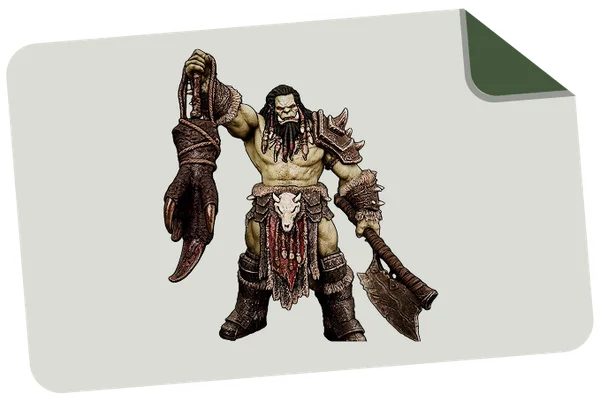
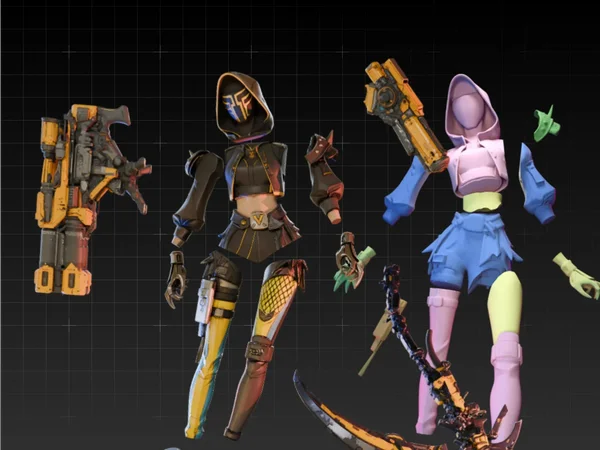
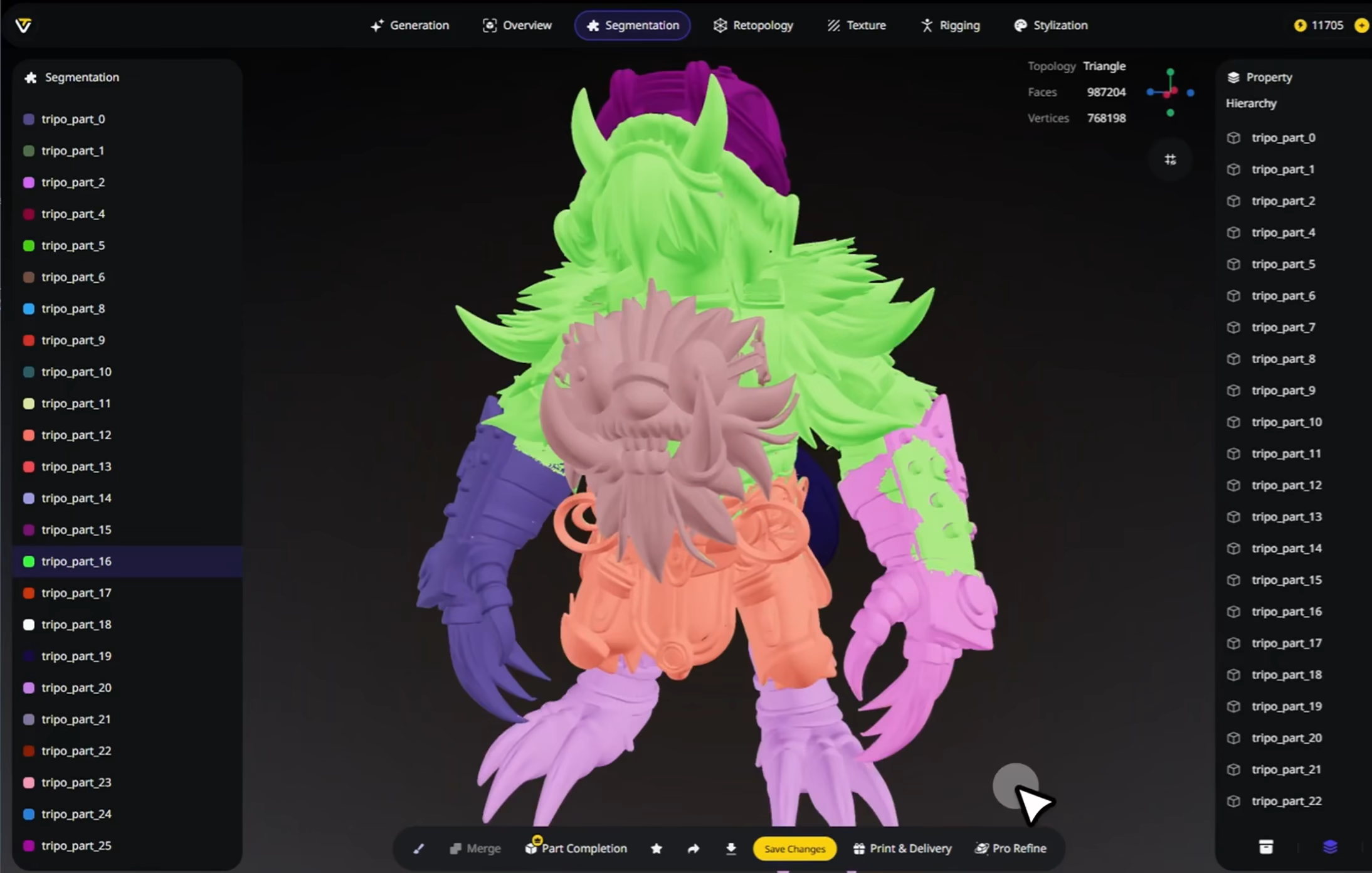
Of all the tools inside Tripo Studio, Intelligent Segmentation is the one that most changes what an AI-generated model actually is. Generation gives you a shape; segmentation gives you a structure. This guide goes far beyond the marketing bullet points: what segmentation really does under the hood, why part-based models matter so much in production, how the three precision tiers behave, where the feature shines and where it struggles, how it compares to doing the same job by hand or with other tools, and the practical habits that get you clean splits on the first try.
What Intelligent Segmentation actually is
When an AI generator produces a 3D model, the output is typically a single fused mesh - one continuous shell of polygons. To your eye it looks like a knight wearing a helmet, pauldrons, a breastplate, gauntlets, and a belt; to the computer it is one undifferentiated surface, like a figurine dipped in plastic. That is fine for looking at, and often fine for a single decorative print, but it is a serious problem the moment you want to do anything with the model: recolor just the helmet, swap the sword for an axe, rig the arms to bend at the elbow, or print the figure in pieces that assemble around a joint.
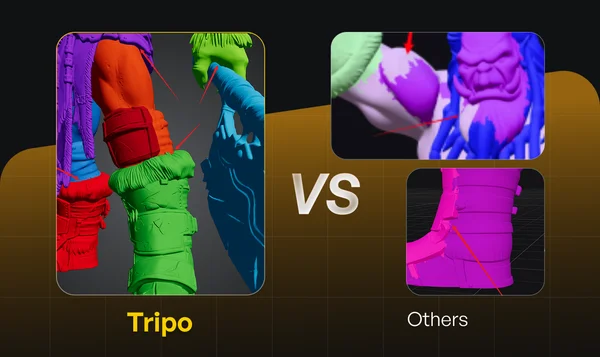
Intelligent Segmentation solves this by analyzing the geometry the way a person would and cutting it into semantically meaningful parts - the helmet becomes a helmet object, each pauldron its own piece, the torso armor another, and so on. The word "intelligent" is doing real work here: rather than slicing along arbitrary planes or simply detecting disconnected shells, the system detects semantic boundaries - the places where a human artist would say one component ends and another begins - and cuts along them with clean edges. Just as importantly, it performs intelligent mesh completion: when you cut a helmet off a head, the cut exposes surfaces that never existed (the inside of the helmet, the top of the head). Basic splitting tools leave gaping holes there; Tripo's segmentation fills those hidden surfaces in, so every part comes out as a closed, solid, individually usable mesh.
The result is that a segmented model behaves like something built by a professional: an organized assembly of named, editable, exportable components rather than a monolithic lump. According to Tripo, the process preserves solid topology and logical grouping throughout, which is what keeps the parts compatible with rigging, texturing, animation, and export pipelines downstream.
Why part-based models matter so much
It is hard to overstate how much of real 3D production assumes parts. Consider a few everyday scenarios. A game character artist needs the head, hands, and weapon as separate meshes so they can assign different material budgets, swap equipment at runtime, and let the rig deform the body without stretching the sword. A 3D-printing hobbyist wants a large figure split into printable sections that fit the build plate and assemble with pegs, and wants supports-free orientation per piece. An animator needs mechanical assemblies - turrets, doors, wheels - as discrete objects with their own pivot points, or nothing can rotate. A product designer wants to recolor the cap of a bottle without touching the body, or show an exploded view in a marketing render. An e-commerce team wants customers to customize components - this strap, that buckle - which is only possible if the components exist as separate meshes.
In the traditional pipeline, all of that separation is planned from the first blockout: artists model in parts because they know parts will be needed. AI generation inverted that - it hands you a finished-looking whole with no internal structure - and for a while the honest answer was "take it into Blender and spend an afternoon cutting it apart." Segmentation restores the structure automatically, which is why it is arguably the feature that moved AI 3D from "fun demo" to "usable in production." The one-click split takes seconds; the manual equivalent, on a complex character, is genuinely hours of loop cuts, boolean operations, hole filling, and cleanup, with plenty of opportunities to wreck the topology along the way.
How the AI decides where to cut
You do not need to understand the underlying research to use the feature, but a little intuition helps you predict its behavior. Modern segmentation models are trained on large libraries of 3D assets that were originally authored in parts, so they learn the statistical regularities of how humans decompose objects: heads separate from necks at the collar, wheels separate from vehicles at the axle, handles separate from mugs where the curve meets the cylinder. When your model comes in, the system evaluates the geometry - curvature changes, concavities, symmetry, and learned object semantics - and proposes boundaries that match those human conventions. That is why the cuts land where you expect: at joints, seams, material transitions, and natural component borders, rather than through the middle of a face.
Two practical consequences follow. First, segmentation performs best on objects whose part structure is visually legible - characters, robots, vehicles, furniture, armor, machinery. If the components are distinguishable to your eye, they are usually distinguishable to the model. Second, genuinely ambiguous regions - a flowing cloak that merges into a body, a blob-like organic sculpture with no natural seams - give the AI the same trouble they would give a human deciding where to cut, and results there deserve a closer look and possibly a manual merge or re-run at a different precision tier.
The three precision tiers, in practice
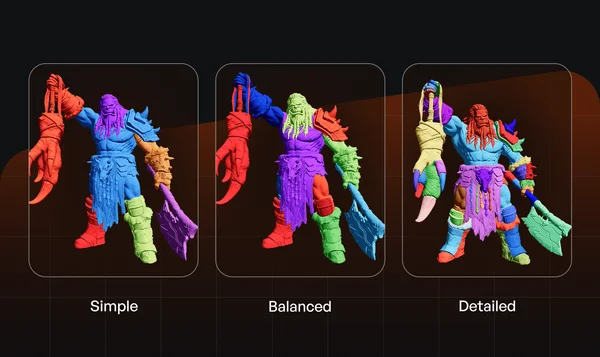
Before segmentation starts you choose one of three tiers, and choosing well saves both time and cleanup.
- Simple produces a coarse split into the major masses of the object - think head, torso, arms, legs, weapon. Use it when you only need broad regions: separating a figure from its base, isolating a weapon for a swap, or splitting a piece for printing in two or three sections. It is the fastest option and produces the fewest parts to manage.
- Balanced is the default recommendation for most production work. It separates the meaningful components - individual armor plates, hands, helmet, belt, accessories - without descending into every rivet. If you are preparing a character for rigging or a prop for material work, start here.
- Detailed pushes the decomposition as far as it can sensibly go: limbs at their sub-joints, accessories, straps, buckles, and the small components of complex assemblies each become their own piece. It is the right choice for heavy customization systems, intricate mechanical models, and exploded-view renders - with the trade-off that you will have many more parts to name, organize, and possibly merge back together.
A useful habit: when in doubt, run Balanced first and inspect the result. If two things you needed separate came out fused, re-run at Detailed; if you drowned in tiny fragments, drop to Simple or merge in the editor. Because segmentation runs in well under a minute, iterating between tiers is cheap compared with fixing an over- or under-split by hand.
A closer look at the workflow
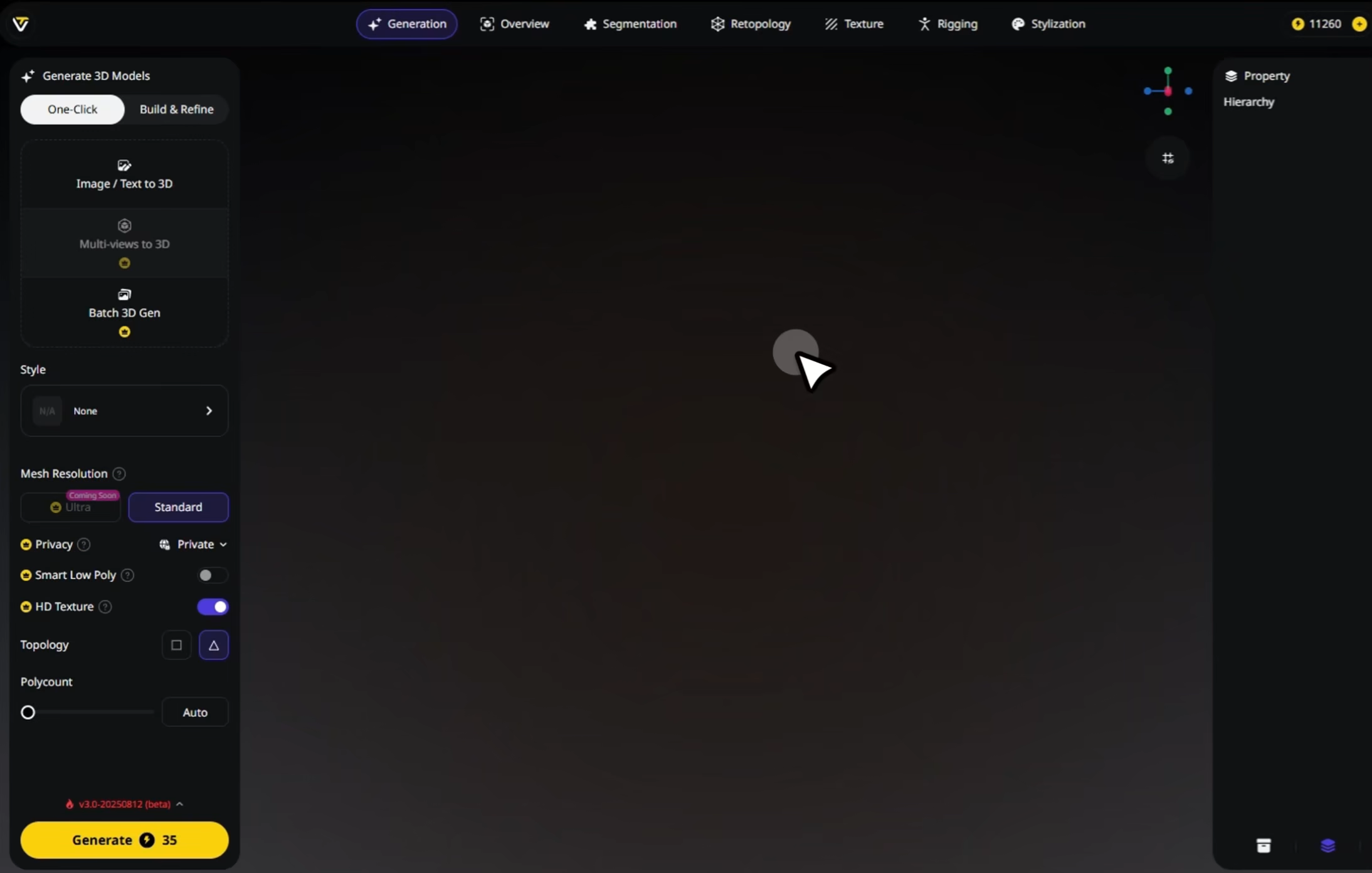
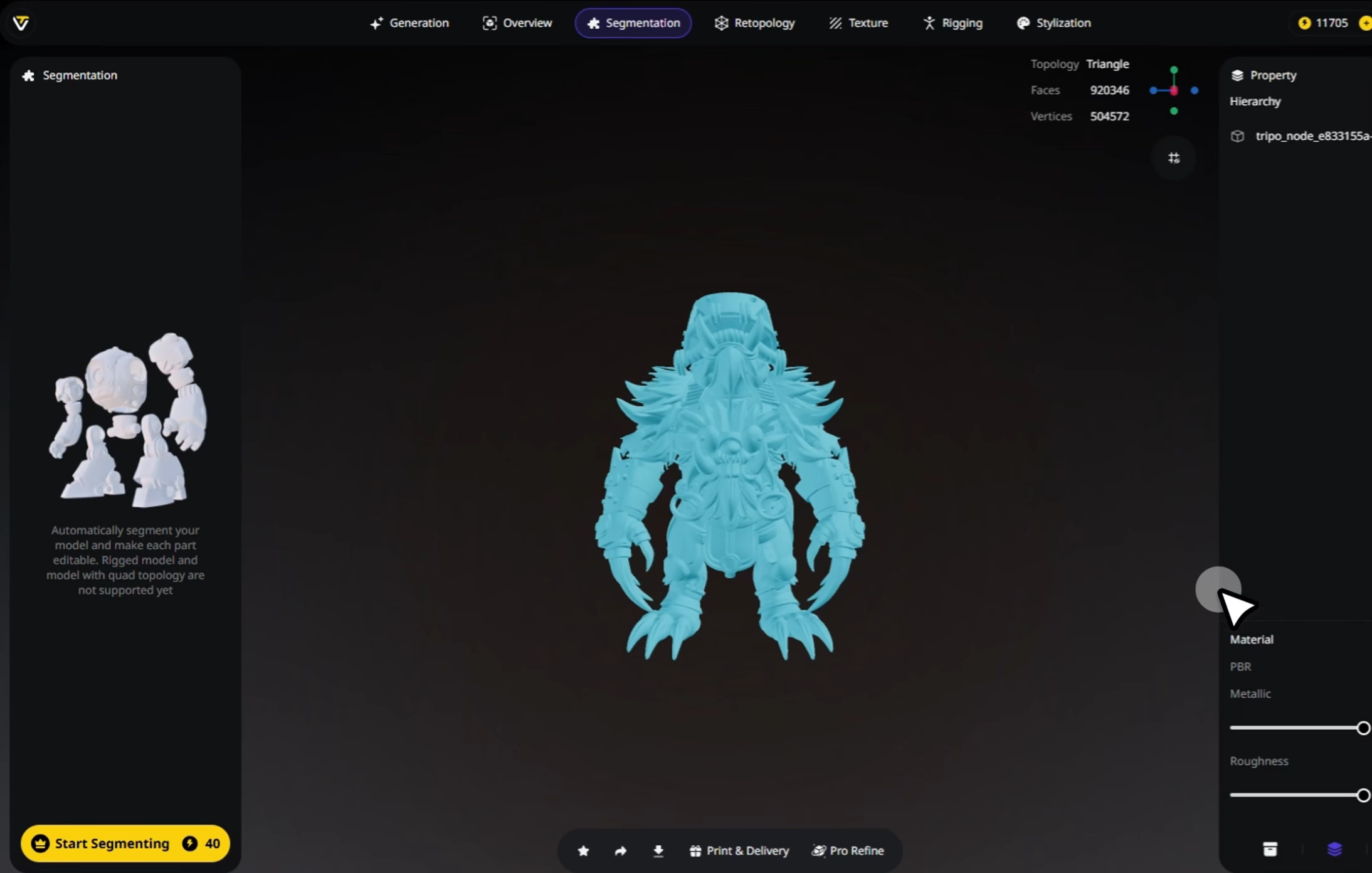
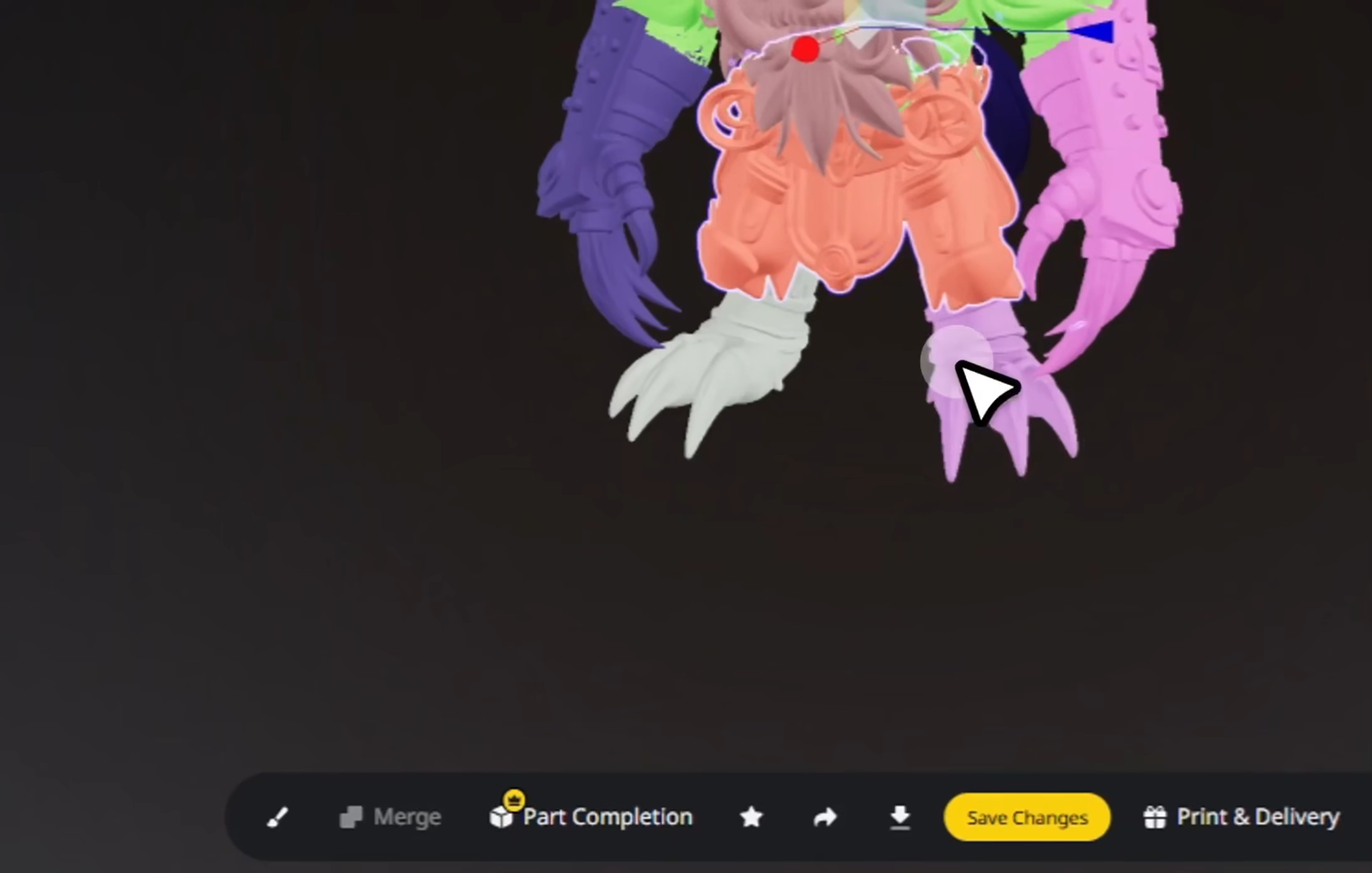
The end-to-end flow has four stages, and each has details worth knowing. Stage one is getting a model in. You can segment a model you just generated inside Tripo - the most common path - or upload an existing mesh in OBJ, FBX, or GLB format, which means segmentation is useful even for assets that never touched an AI generator: scans, purchased models, or old work you want to restructure. Stage two is the split itself. Pick your precision tier, start the job, and the model returns divided into parts, typically in seconds to under a minute depending on complexity. Rotate the result and toggle parts on and off to audit the boundaries; the exploded view is the fastest way to see exactly what became what.
Stage three, which is optional, is editing. This is where the "full control" in the feature's tagline lives. You can select any individual part and refine it, retexture it, or delete and replace it; you can merge parts that should have stayed together (two halves of a cloak, say) with a click; and because each part is a solid, closed mesh, edits to one piece never corrupt its neighbors. For customization-heavy projects this stage becomes the whole point: a character with swappable helmets, or a product with interchangeable components, is assembled from exactly these separated pieces. Stage four is export. The segmented model downloads with its part structure intact in standard formats, so when it lands in Blender, Unity, Unreal, or a slicer, the components arrive as distinct objects ready for pivots, materials, physics, or per-piece print orientation. Tripo also ships one-click plugins for Blender, Unity, Unreal, ComfyUI, Cocos, and Godot that make the hand-off even shorter.
What it means that topology is preserved
A recurring fear with automated mesh operations is that they will shred your topology - leave non-manifold edges, flipped normals, or holes that break everything downstream. Segmentation is designed to avoid exactly that: the geometry of each part stays clean and organized through the split, and the mesh-completion step ensures parts are watertight solids rather than open shells. In practical terms, that is what keeps segmented output compatible with the operations you will run next: auto-rigging expects closed limbs, slicers expect watertight solids, texture baking expects sane UV-able surfaces, and boolean-based kit-bashing expects manifold inputs. It is reasonable to still run a quick mesh check before printing anything (as you should with any mesh from any source), but in normal use the parts come out ready to work with, not ready to repair.
Use cases, one by one
Game development. Segmentation is the bridge between "generated a cool character" and "shipped it in a game." Separated parts let you assign per-component materials and texture budgets, attach weapons and equipment to sockets, build modular characters whose armor pieces mix and match, and give the rig clean regions to bind. Combined with Tripo's auto-rigging and Smart Mesh low-poly generation, the full path from prompt to a playable, animated character stays inside one tool.
3D printing. Large or complex prints almost always benefit from part-wise printing: sections that fit the plate, orientations chosen per piece to minimize supports, and different materials or colors per component. Segmentation produces those sections along natural boundaries - a figure splits at the waist and shoulders, not through the face - and because every piece is a closed solid, slicers accept them without repair. Hobbyists also use Detailed splits to print articulated or assemble-yourself kits.
Animation and VFX. Anything that must move independently must be a separate object. Doors, wheels, turrets, jaws, eyelids on stylized characters - segmentation turns a fused sculpt into an animatable assembly, and clean part boundaries make weight painting and constraint setup dramatically simpler.
Product design and e-commerce. Exploded views for manuals and marketing, per-component colorways, and customer-facing configurators all depend on parts. A segmented product model can show every variant of every component without remodeling anything.
Education and reuse. Teachers use exploded models to show how objects are constructed; creators harvest parts from one model to kit-bash into another. Once a library of segmented assets exists, every part in it is a reusable building block.
Segmentation versus the alternatives
How does the automated approach stack up against doing it another way? The honest comparison has three columns. Manual splitting in a DCC tool (Blender, Maya, ZBrush) offers unlimited control - you can cut anywhere, exactly as you wish - but costs hours per complex model, demands real modeling skill, and every exposed cut surface must be capped by hand. It remains the right choice for surgical, artistic cuts that no automation could infer, and the wrong choice for the routine decomposition that makes up most part-splitting work. Basic auto-split tools, including the split-by-loose-parts operations built into many programs, only separate geometry that is already disconnected; on a fused AI-generated mesh they either do nothing or produce arbitrary fragments with open holes. Tripo's Intelligent Segmentation sits in the productive middle: semantic, human-like cuts in seconds, closed solid parts, tier-based control over granularity, and an editor for the cases where you want to adjust the result - at the cost of ceding the exact cut lines to the AI. Competing AI platforms have taken note; part-aware generation is the headline idea at CSM, for example, and it is a genuinely useful lens for comparing tools. Tripo's implementation is distinguished by arriving after generation (so it works on any mesh, from any source) and by the precision tiers plus mesh completion, which push the output beyond what simple splitting delivers.
| Approach | Time on a complex character | Cut quality | Holes handled? | Skill needed |
|---|
| Tripo Intelligent Segmentation | Seconds to ~1 minute | Semantic, human-like boundaries; 3 tiers | Yes - parts closed automatically | None; optional editing |
|---|
| Manual (Blender/ZBrush) | Hours | Exactly what you cut - best and worst case | Only if you cap every cut yourself | High |
|---|
| Basic auto-split tools | Seconds | Arbitrary; only pre-disconnected shells | No - open fragments | Low, but limited results |
|---|
Costs, plans, and where segmentation fits your budget
Segmentation is one of the more compute-intensive operations on the platform - on the API's published pricing it runs around 80 credits per job, noticeably more than a ~20–25-credit base generation, which reflects the boundary analysis and mesh completion it performs. Inside Tripo Studio, access to segmentation is part of what the paid tiers unlock, alongside the private commercial licensing you will want anyway if the parts are heading into a product or client project. Budget-wise the guidance mirrors the rest of the platform: iterate on cheap base generations until the shape is approved, then spend the expensive segmentation pass once on the winner. Running Detailed segmentation on ten candidate models you will discard is the classic way to waste a credit pool.
Practical tips for cleaner splits
- Segment the final geometry, not the draft. Any regeneration replaces the mesh and discards your split - lock the shape first.
- Match the tier to the job. Printing in sections rarely needs Detailed; a customization system rarely survives on Simple. Starting at Balanced and adjusting beats guessing.
- Audit with the exploded view. Pull the parts apart visually before exporting; fused-but-should-be-separate and separate-but-should-be-fused mistakes are obvious in two seconds there and invisible in the assembled view.
- Merge early, not downstream. If two parts belong together, merge them in Tripo's editor rather than in your engine - the grouping metadata stays coherent.
- Mind naming before export. A minute spent renaming "part_014" to "helmet" saves confusion for every future user of the asset, including you.
- For print, check solids anyway. Parts arrive watertight, but a ten-second slicer preview per piece is cheap insurance before a ten-hour print.
Limitations to know about
No automated tool is perfect, and it is worth being honest about the edges. Extremely ambiguous organic forms - flowing cloth fused into bodies, abstract sculpts with no natural seams - can produce boundaries you would have drawn differently, and occasionally a strap or accessory ends up attached to the "wrong" neighbor; the merge and re-run tools exist precisely for these cases. Very high-polygon meshes take longer to process and produce heavier per-part files. And segmentation defines where parts separate, not how they connect: if you are printing an assemble-yourself kit, designing pegs, sockets, or joints between the parts is still your job in CAD or a DCC tool. None of these caveats undermine the core value - they define the boundary between what the AI automates and where your craft still matters.
The bottom line
Intelligent Segmentation is the feature that turns AI-generated 3D from static output into structured, editable, production-grade material. It compresses hours of skilled manual decomposition into a sub-minute automated pass, preserves the topology that downstream tools depend on, closes the surfaces that naive splitting leaves open, and gives you tiered control over how far the decomposition goes. If your models are destined for games, printers, animations, configurators, or any pipeline that thinks in parts - which is to say, nearly every real pipeline - segmentation is not a nice-to-have; it is the step that makes everything after it possible. Try it on one of your own models and the before/after speaks for itself.
This page is an independent educational guide. Feature behavior, tier names, and credit costs summarize public information as of mid-2026 and can change - confirm details on the official feature page at tripo3d.ai/features/ai-model-segmentation.